Handoff
Seamless patient care documentation from scene to hospital
The Patient Care Continuity Chain
MedicLog is designed for how EMS really works: multiple providers, multiple handoffs, one patient. Every entry is timestamped, attributed, and transferable.
At each stage, the complete log transfers instantly — vitals, medications, timestamps, and notes. The receiving crew continues where you left off.
Sharing Methods
Choose the right method for your situation:
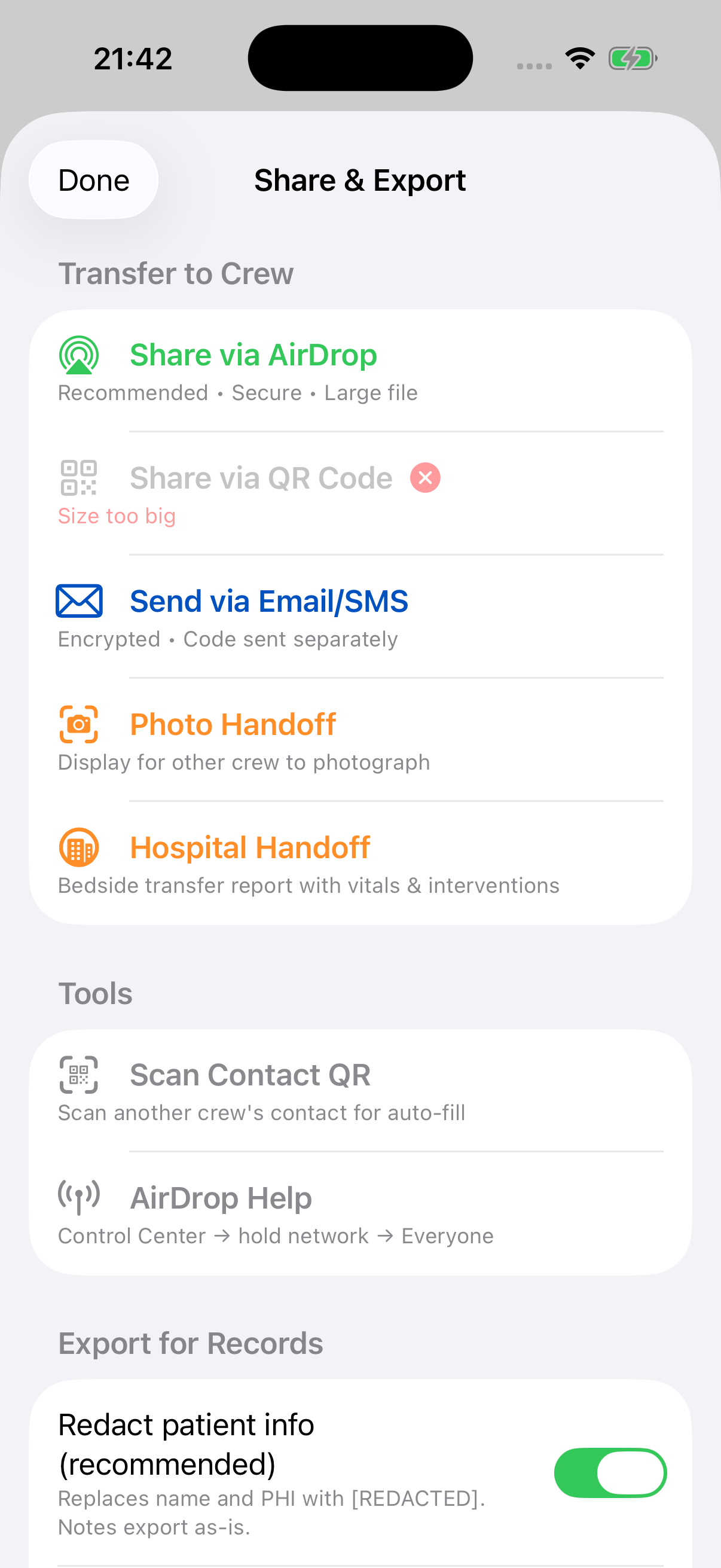
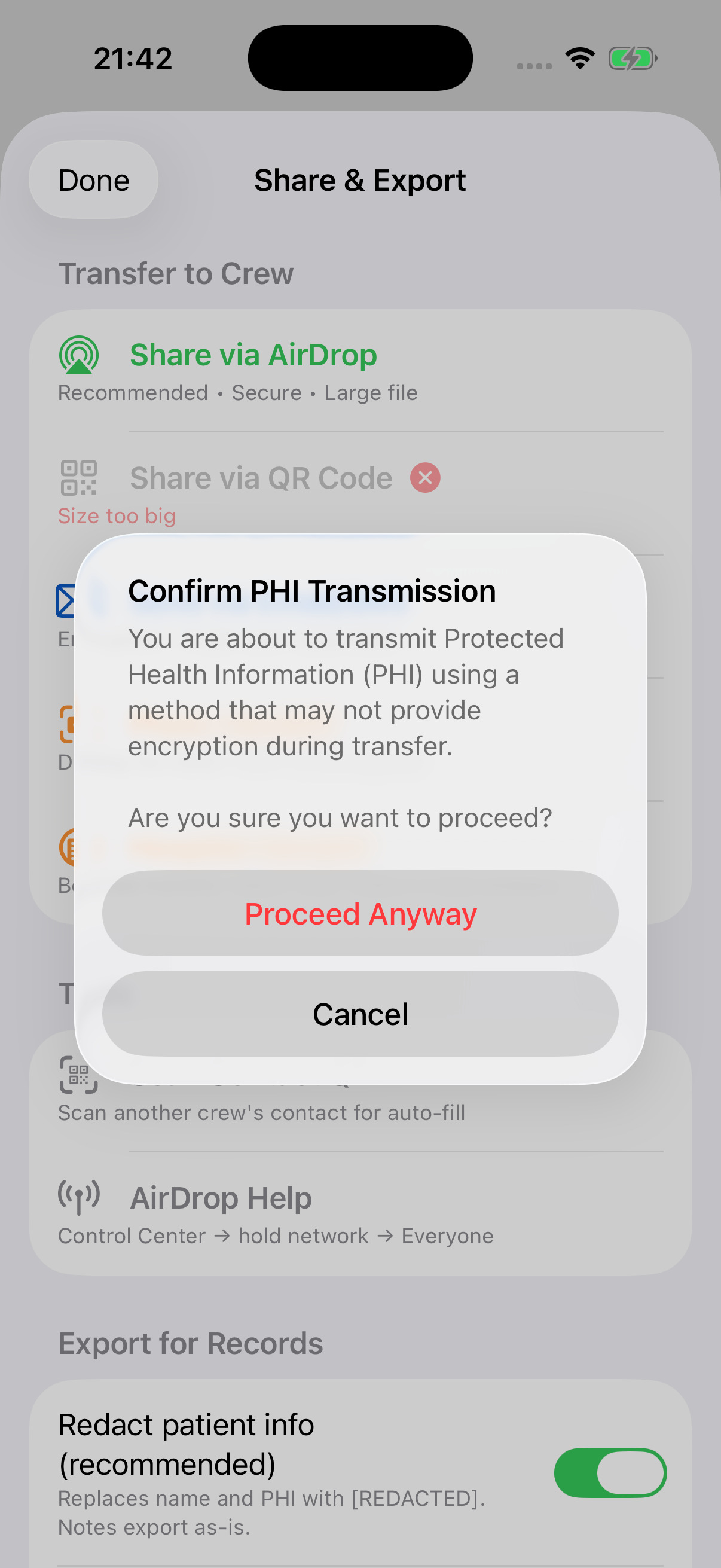
Share & Export menu with PHI transmission warning for methods without end-to-end encryption
AirDrop Recommended Instant
When to use: Same-agency crew swap, partner taking over, any iOS-to-iOS transfer
- Encrypted end-to-end by Apple
- One tap to send, one tap to receive
- Works without cellular or WiFi (uses Bluetooth + WiFi Direct)
- Large files automatically encrypted with QR key
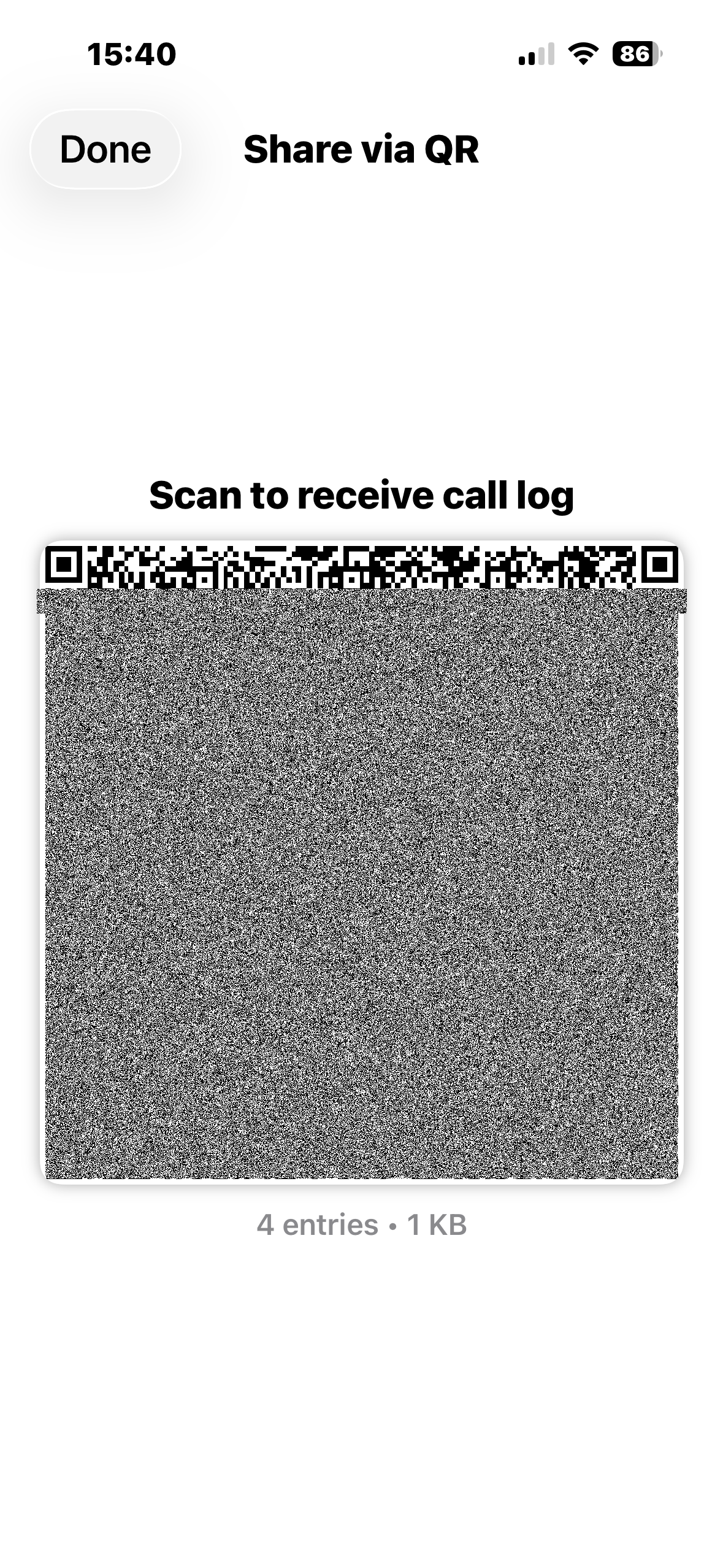
QR Code No Setup
When to use: Quick share when AirDrop isn't available, cross-platform (iOS ↔ Android)
- Receiver scans from within MedicLog on iOS or Android — loads instantly
- Small calls (<3KB) fit in a single QR code
- Physical security: you control who can see the screen
- Works completely offline
Email/SMS Encrypted
When to use: Remote sharing, iOS ↔ Android cross-platform, you scan flight crew's contact QR so they can get in the air
- File sent via email, 6-digit code sent via SMS (or vice versa)
- AES-256 encryption — file is useless without the code
- Two-channel delivery prevents interception
- Use when you can't AirDrop (different locations, later handoff)
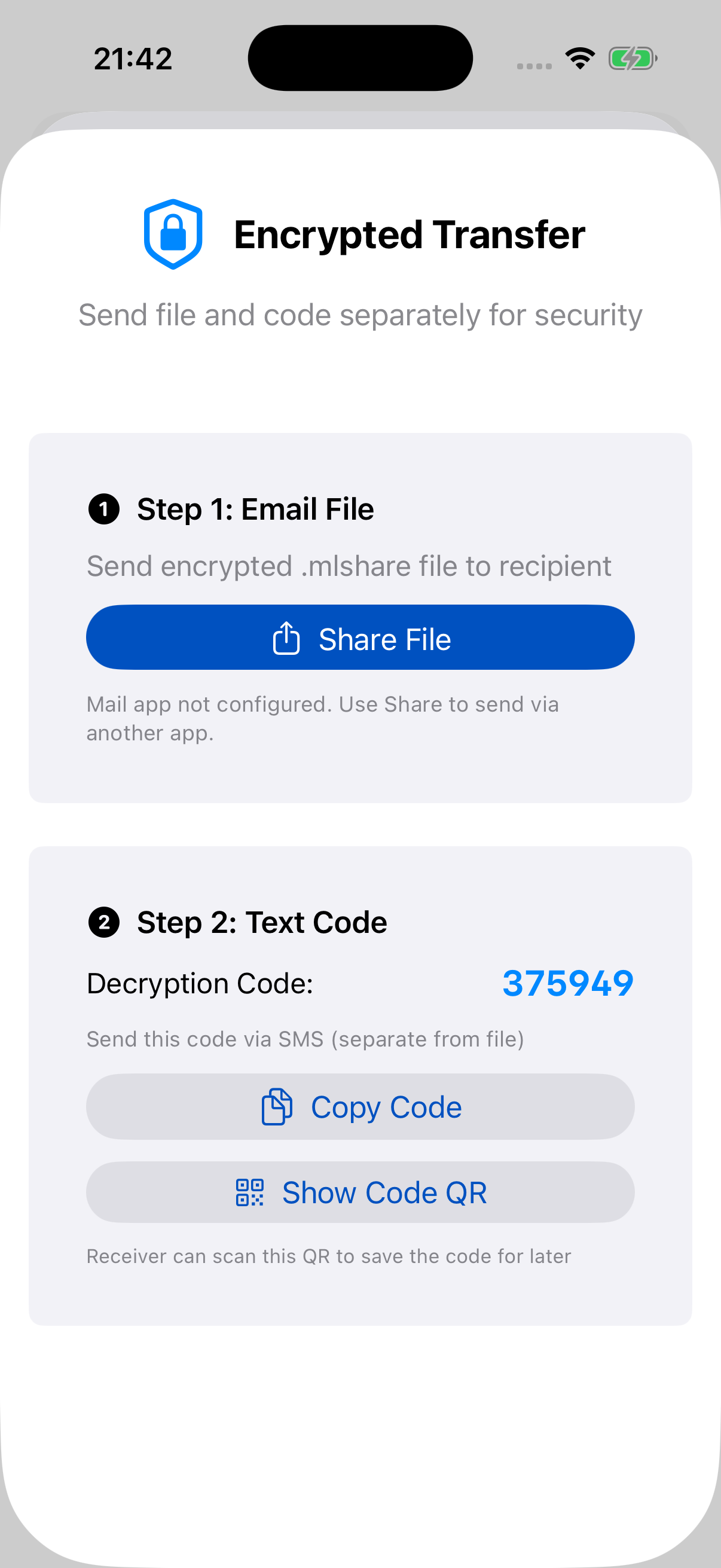
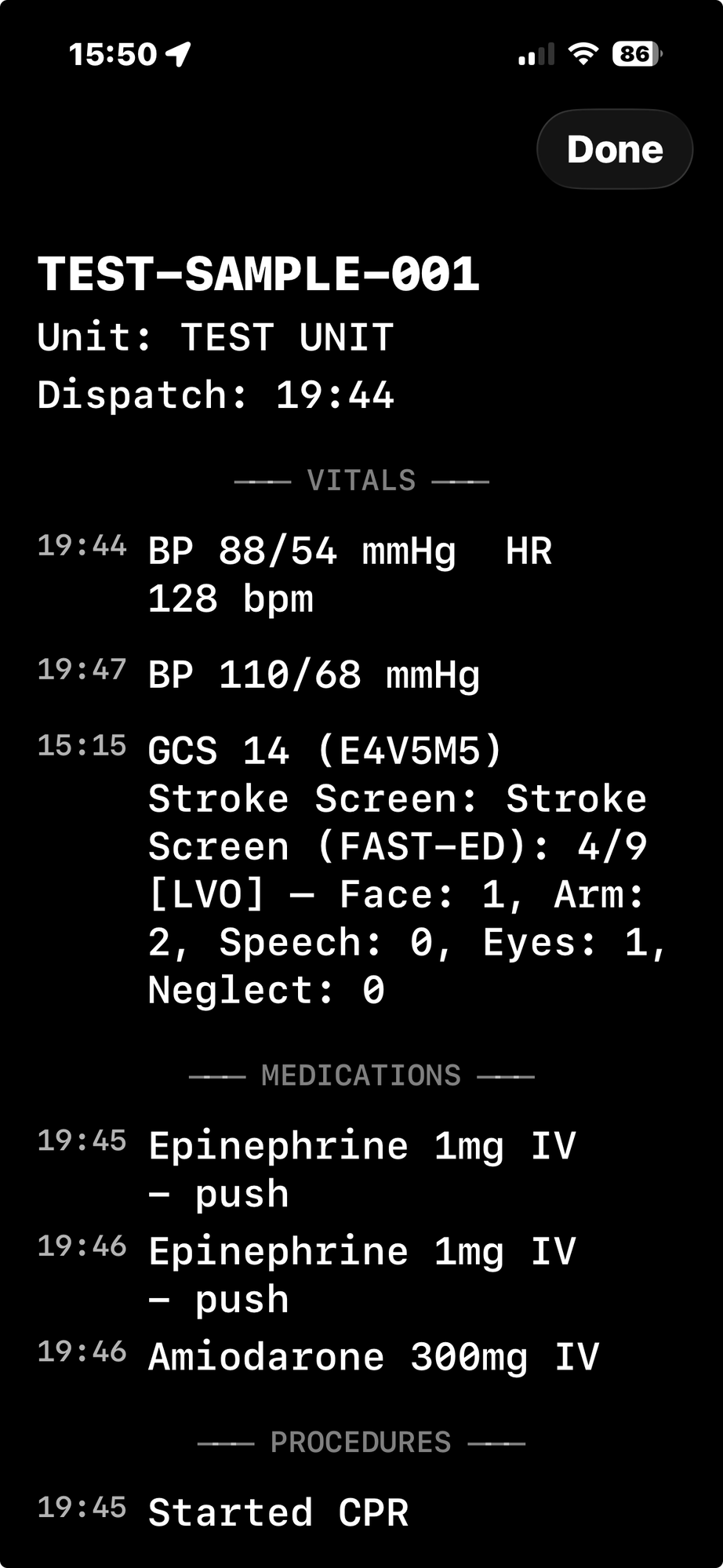
Photo Handoff Hospital
When to use: ER staff, hospital personnel, anyone without MedicLog
- Full-screen display optimized for photography
- Black background, white monospaced text — camera-friendly
- Brightness maxed, screen stays on
- Receiving nurse/doc photographs your screen with their phone
- Page-at-a-time scrolling for long calls
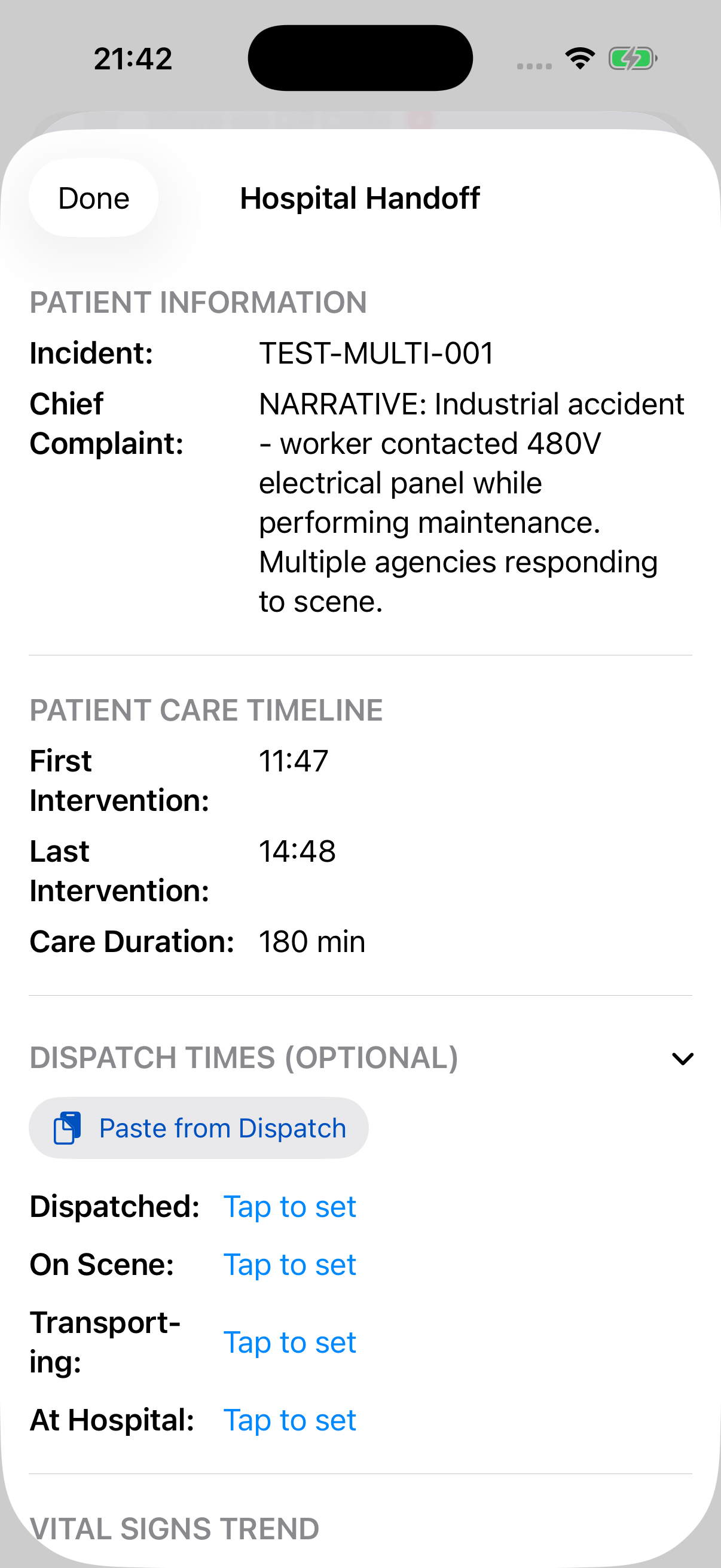
Hospital Handoff Report Bedside
When to use: Formal bedside transfer to ER/hospital staff
- Clinical reference format (not chronological timeline)
- Vitals trend table, medications grouped by drug
- Procedures grouped by category (IV/IO, Cardiac, etc.)
- Optional dispatch times section (paste from CAD)
- Export as PDF for hospital records
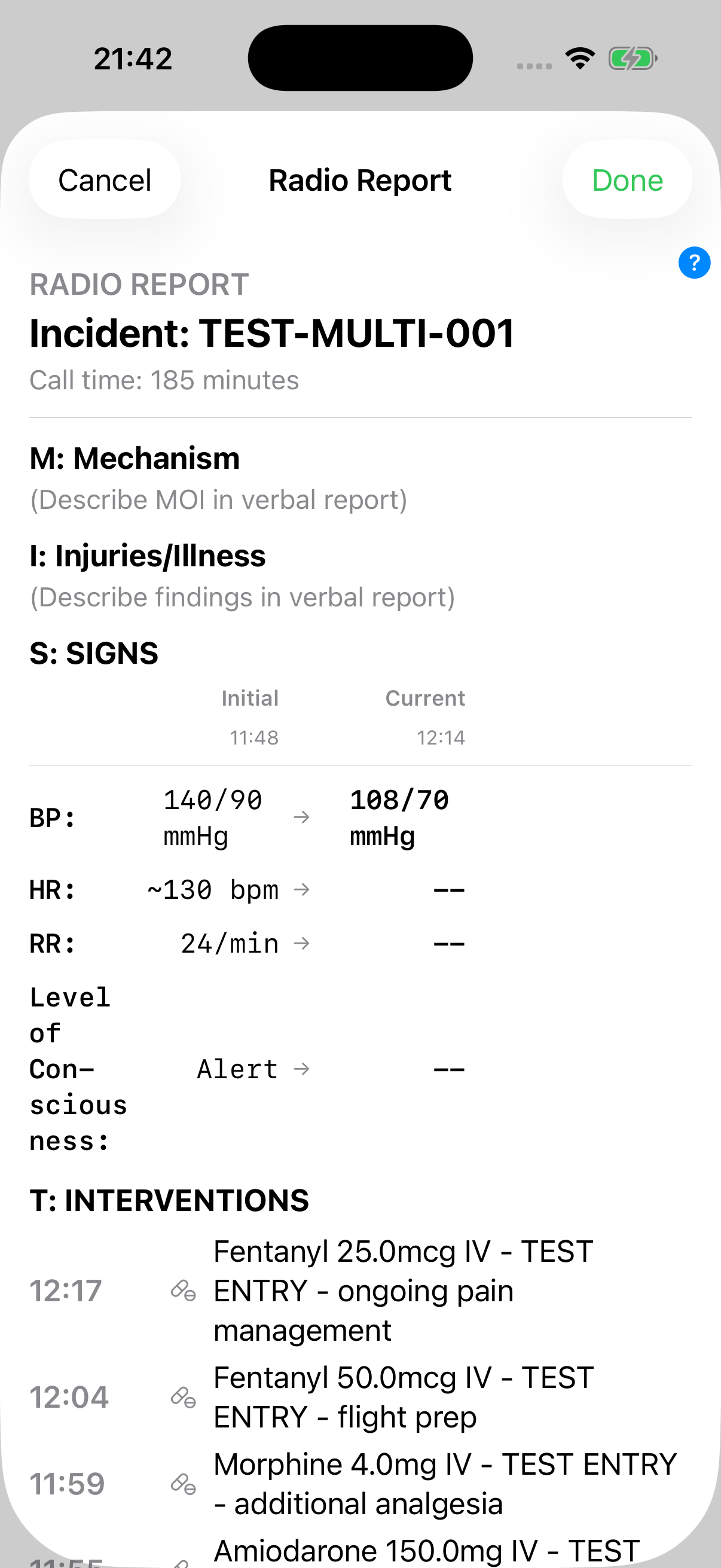
Radio Report (MIST) Verbal
When to use: Calling medical control, giving report en route, verbal handoff
- MIST format: Mechanism, Injuries/Illness, Signs, Treatment
- Initial vs current vitals side-by-side
- Interventions listed chronologically with timestamps
- Concise format for quick verbal handoff
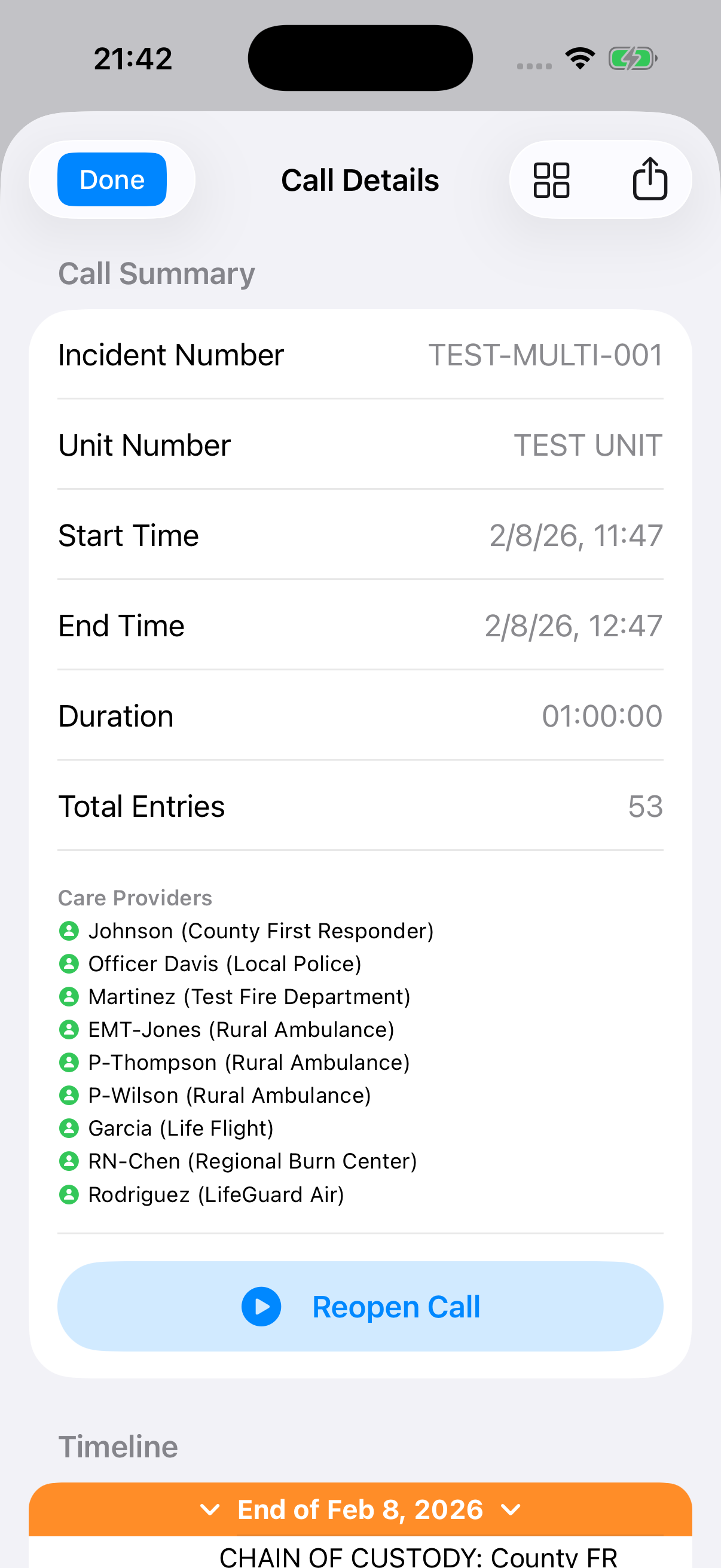
Care Provider Attribution
Every crew member who touches the call is tracked. The Call Details view shows all Care Providers with their agency and role.
Chain of Custody
When a call transfers between providers, MedicLog maintains the complete chain of custody. See exactly who documented what and when.
Each provider's entries are attributed to them, even after the call has been handed off multiple times.
Perfect for QA review, legal documentation, and training feedback.
Common Scenarios
Scenario 1: BLS to ALS Handoff
- BLS arrives first — starts call in MedicLog, logs initial vitals and assessment
- ALS arrives — BLS taps Share → AirDrop → sends to ALS medic
- ALS receives — taps notification, call loads automatically with all BLS entries
- ALS continues — adds medications, additional vitals, procedures. All entries show "logged by" attribution
Scenario 2: Multi-Unit Response
- Engine company on scene first, starts call, begins CPR
- Ambulance arrives — Engine QR shares to medic (different agencies, no AirDrop)
- Medic continues — defibrillation, meds, advanced airway all logged
- Flight — flight crew takes over, receives call via AirDrop
- Hospital — Photo Handoff to ER doc, PDF report to chart
Scenario 3: Hospital Handoff
- Arrive at ER — tap Share → Hospital Handoff
- Bedside report — structured view: vitals trend, meds given, procedures
- RN/Doc needs copy — tap Photo Handoff, they photograph your screen
- For medical records — Export PDF, email to hospital or print
Scenario 4: Partner Swap Mid-Call
- You're logging on your phone in the back
- Shift change — new medic takes over patient care
- AirDrop to new medic — they continue logging on their phone
- Attribution preserved — entries show who logged what
Export for PCR/ePCR
After the call, export your documentation for your Patient Care Report:
- PDF Detailed — Full timeline with all entries, timestamps, and notes
- PDF Summary — MIST format with key vitals and interventions
- Text — Plain text for pasting into ePCR narrative
- CSV — Spreadsheet format for analysis
All exports support PHI redaction — toggle "Redact patient info" to replace names and DOB with [REDACTED] for privacy-safe sharing.
Cross-Platform Sharing
MedicLog supports sharing between iOS and Android:
- QR Code — works between any devices
- Email/SMS — encrypted files work on both platforms
- .mlshare files — identical format, cross-platform compatible
The Android version is currently in alpha — join the beta to test cross-platform sharing.